Weld


 Weld
Weld
This tool allow us to join point between each other or inside a tolerance value.
Toolbar |
SubD › Edition › Weld |
Menu |
Clayoo › Edition › Weld |
Command |
_ClayWeld |
Weld will request to select points for welding if there is no preselection. The preselected points will count as first selection points.
The second selection will also request for a point to weld, but the parameters Average and Weld will appear on the command prompt (those are explained at the bottom).
When there is no preselection, and first and second selection is a point (Average = Off and Weld = On):
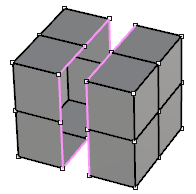
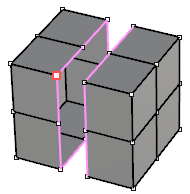
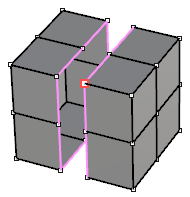
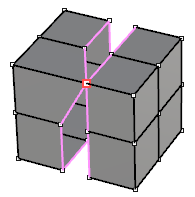
Current geometry |
First selection |
Second selection |
Result |
When first selection or preselection are two points (Average = On and Weld = On):
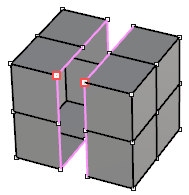
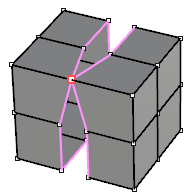
Current geometry |
First selection or preselection |
Result |
When first selection or preselection is more than two points, the command will request for a tolerance to weld all points that lies inside the value:
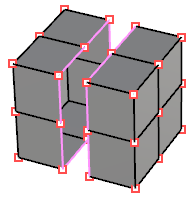
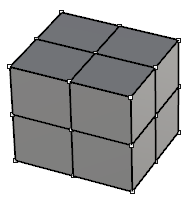
Current geometry |
First selection or preselection |
Tolerance = 0.1 |
Tolerance = 2 |
› Average
When it is active, points will be welded on the middle point between each other. Else will be welded depending on the selection.
› Weld
When it is on, welded points will become a single point. Else will be two points at the same position.
› Tolerance
Sets the distance to weld all points that lies inside the value.
1. Click  Enter button on your keyboard or
 mouse right-click to validate the command.
2. Click  Escape button on your keyboard to cancel the command.
3. Click  Function key 1 button to open the help information of the command, in case you need more detailed information about the tool being used.