Collapse


 Collapse
This tool allow us to transform any kind of selection into a single point.
Toolbar |
SubD › Edition › Collapse |
Menu |
Clayoo › Edition › Collapse |
Command |
_ClayCollapse |
If there is no preselection, collapse will request selection depending on the current selection mode.
› When we are in  (point selection mode):
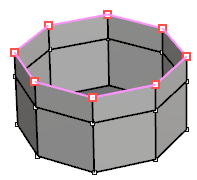
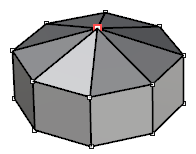
Current selection |
Result |
› When we are in  (edge selection mode):
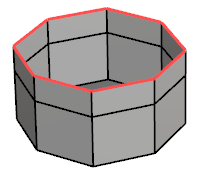
Current selection |
Result |
› When we are in  (face selection mode):
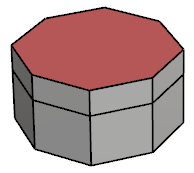
Current selection |
Result |
1. Click  Enter button on your keyboard or
 mouse right-click to validate the command.
2. Click  Escape button on your keyboard to cancel the command.
3. Click  Function key 1 button to open the help information of the command, in case you need more detailed information about the tool being used.