Blueprint


 Blueprint
This tool allow us to load images as reference to create our models.
Toolbar |
SubD › Creation › Blueprint |
Menu |
Clayoo › Creation › Blueprint |
Command |
_ClayBlueprint |
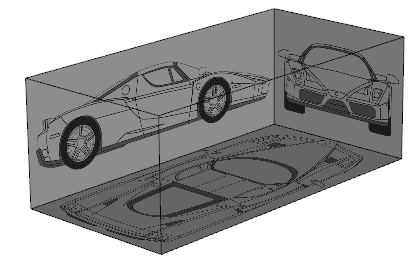
The blueprint will generate a box with picked images, it can be easily scaled to fit your model dimensions.
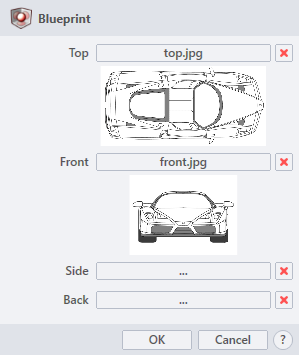
Click  button to load images from your directories.
› Top
Opens the file dialog to pick the top image.
› Front
Opens the file dialog to pick the front image.
› Side
Opens the file dialog to pick the side image.
› Back
Opens the file dialog to pick the back image.
Click  button to delete the loaded image.
1. Click  button to validate the command and apply the new geometry on the scene.
2. Click  button to cancel the command, and refuse to apply geometry on the scene.
3. Click  button to open the help information of the command, in case you need more detailed information about the tool being used.