Convert Surface


 Convert Surface
This tool allow us to convert from a NURBS surface to a Clayoo custom object.
Toolbar |
SubD › Creation › Convert Surface |
Menu |
Clayoo › Creation › Convert Surface |
Command |
_ClayConvertSurface |
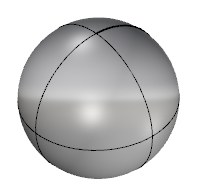
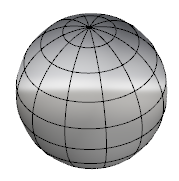
NURBS surface |
Clayoo surface |
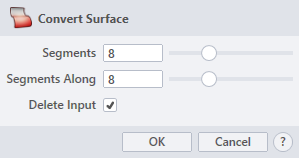
› Segments
Sets the number of divisions across the central axis.
› Segments Along
Sets the number of divisions along the central axis.
› Delete Input
When it is active, it deletes the picked surface.
1. Click  button to validate the command and apply the new geometry on the scene.
2. Click  button to cancel the command, and refuse to apply geometry on the scene.
3. Click  button to open the help information of the command, in case you need more detailed information about the tool being used.