Wrap


 Wrap
Wrap
This tool allow us to envelop a Clayoo surface into another geometry.
Toolbar |
SubD › Edition › Wrap |
Menu |
Clayoo › Edition › Wrap |
Command |
_ClayWrap |
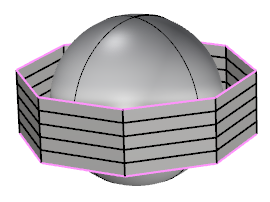
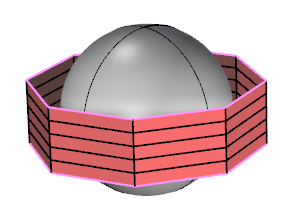
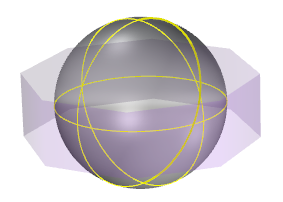
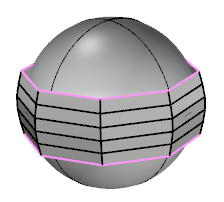
Current objects |
First Selection (object to wrap) |
Second Selection (geometry to wrap into) |
Result |
› Wrap Mode
Sets the property of the wrap mode. We can choose between:
› Auto Size
Automatically scales the wrapped object to fit with the base one.
› Copy
Saves a copy of the wrapped object.
1. Click  Enter button on your keyboard or
 mouse right-click to validate the command.
2. Click  Escape button on your keyboard to cancel the command.
3. Click  Function key 1 button to open the help information of the command, in case you need more detailed information about the tool being used.