Symmetry


 Symmetry
This tool allow us to define planes of symmetry to improve modeling on symmetric objects.
Toolbar |
SubD › Edition › Symmetry |
Menu |
Clayoo › Edition › Symmetry |
Command |
_ClaySymmetry |
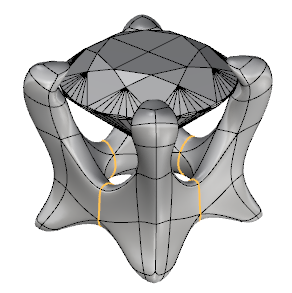
Edges that share position with the plane of symmetry are painted orange.
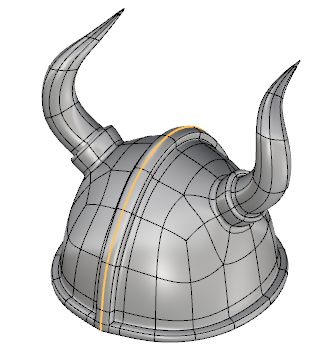
Model with an axis of symmetry |
Model with multiple axes of symmetry |
Once selection is applied, the object will be symmetrical until we run _ClaySymmetry again, and choose the option "End Symmetry".
› Add Symmetry
› Threshold
Sets the distance where one point and his symmetrical reference will be welded.
› End Symmetry
Once clicked, your symmetric model will be applied to the scene as a single object with no symmetry properties.
1. Click  Enter button on your keyboard or
 mouse right-click to validate the command.
2. Click  Escape button on your keyboard to cancel the command.
3. Click  Function key 1 button to open the help information of the command, in case you need more detailed information about the tool being used.