Project to Plane


 Project to Plane
This tool allow us to project selections to a set plane. The main function is alignment.
Toolbar |
SubD › Edition › Project to Plane |
Menu |
Clayoo › Edition › Project to Plane |
Command |
_ClayProjectToPlane |
World Plane
This is the default mode, and your selection could be automatically aligned clicking on the plane.
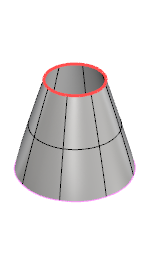
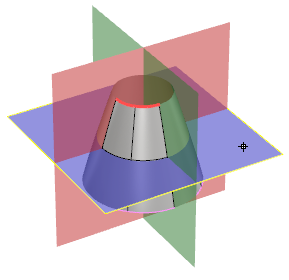
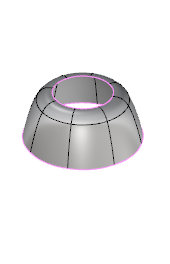
Current selection |
Setting projection plane |
Result |
CPlane
By CPlane does the same function than the case above, but instead of requesting for a world plane, it takes the construction plane.
The construction plane is the one on the active view when you run the command.
Set Plane by Line
When using this option, we will have the option to click two points to generate the plane, and project the surface on it.
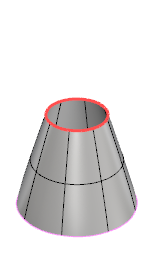
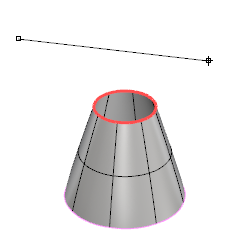
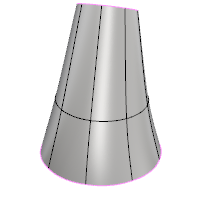
Current selection |
Setting projection plane |
Result |
Dynamic
When using Dynamic option, a pointer will create a plane depending on the surface you are mouse overing. Clicking on the surface will generate the plane and automatically project your selection.
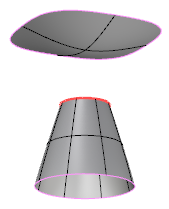
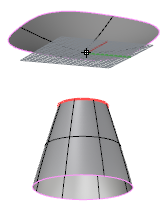
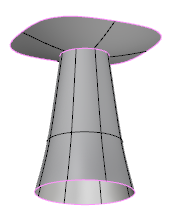
Current selection |
Setting projection plane |
Result |
1. Click  Enter button on your keyboard or
 mouse right-click to validate the command.
2. Click  Escape button on your keyboard to cancel the command.
3. Click  Function key 1 button to open the help information of the command, in case you need more detailed information about the tool being used.