HotKeys


 Hotkeys and
  Hotkeys Settings
This tool allow us to run Clayoo commands with our keyboard, assigning keys to commands to allow faster runs.
Toolbar |
SubD › Hotkeys |
Menu |
Clayoo › Hotkeys Settings |
Command |
_ClayHotkeys |
When Hotkeys are active, we must have the mouse cursor on the viewport to run Clayoo commands.
If we are outside the viewport, we are going to type on the Rhinoceros command bar.
Use the Hotkeys Settings button to check and customize the keys for your commands.

Parameters
› Tabs
The tab checked with 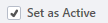 is the one currently activated. There are three different tabs to manage your Hotkeys configuration:
› Share your configurations:
There are two options to share and manage Hotkeys configurations: