Gumball Modes


 Gumball Modes
Gumballs are graphic representations that are used to transform geometry in an easy and user friendly way.
Command |
_ClayGumballMode |
Gumballs will only affect the selected geometry. Dragging gumballs will transform the geometry graphically, and  double-clicking will allow to set the exact transformation value.
We have different gumball modes:
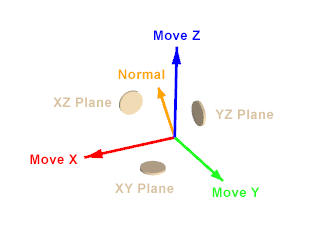
›  Move Gumball
This gumball allow us to translate the selected geometry in different axis and planes.
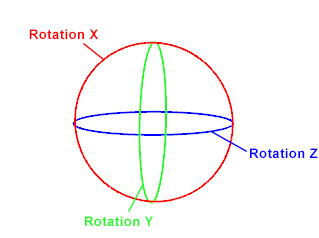
›  Rotate Gumball
This gumball allow us to rotate the selected geometry in different axis.
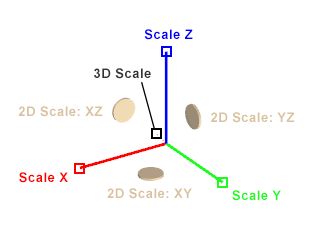
›  Scale Gumball
This gumball allow us to scale the selected geometry in different axis (1D), planes (2D) or in 3D.
› Multiple Gumball
When this option is active, it shows a gumball in every selection individually.
It allow us to transform different selections using as center of transformation the pivot point of every selection, instead of the average center of the selection.