Select U


 Select U
This tool allow us to select a loop of faces in U direction. The selection will break when finding a triangle or Ngon.
Toolbar |
SubD › Selection › Select U |
Menu |
Clayoo › Selection › Select U |
Command |
_ClaySelectU |
To run this command graphically, we should follow the next steps:
1. Select a face or a valid group of faces (following direction).
2. Hold  Shift key on our keyboard.
3.  Double click an adjacent face to follow direction.
Running this command the regular way:
› When running Select U:
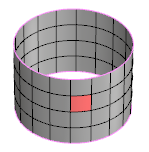
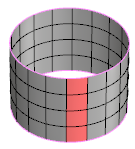
Current selection |
Result |
› With the result we get above, if we run again Select U, the direction of selection will swap to V:
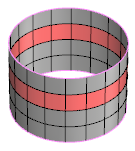
Current selection |
Result |
› With the result we get above, if we run  Select V, we will add both directions to our first selection:
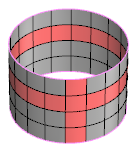
Current selection |
Result |
We can repeat this workflow to have multiple U selections.