Paint Selection


 Paint Selection
This tool allow us to select or unselect like brushing with your hand.
Toolbar |
SubD › Selection › Paint Selection |
Menu |
Clayoo › Selection › Paint Selection |
Command |
_ClayPaintSelection |
After running the command, click and drag the mouse over the geometry to select (works with 

 points, edges and faces).
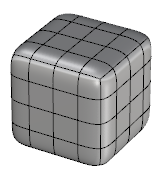
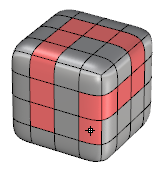
Current scene |
Result |
Hold  Control key on your keyboard to unselect.