Append Face


 Append Face
This tool allow us to generate faces dynamically. Is mostly used to fill holes or to start modeling from scratch.
Toolbar |
SubD › Creation › Append Face |
Menu |
Clayoo › Creation › Append Face |
Command |
_ClayAppendFace |
We can click on points to create the desired face (without preselection):
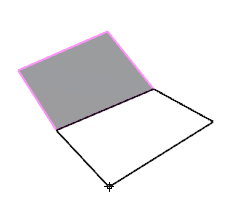
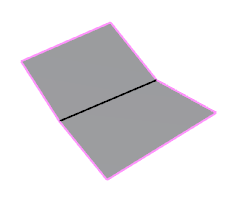
Picking 4 points |
Result |
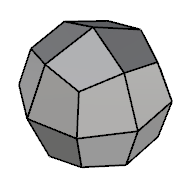
When we have preselection, we are directly filling the hole with a face:
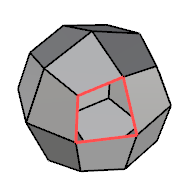
Current selection |
Result |
› Autoquad
When it is active, this option automatically finish the face when number of sides is equal to four (quad). Else, we need to right-click to validate the polygon.
› Weld
When it is active, this option automatically welds coincident points. Else, it creates coincident points, but the new geometry is a different object.
› Mode
Sets the append face mode:
› Retopology
Retopology is the process to recreate an existing surface with a cleaner mesh structure.
When it is active, it allow you to detect current surfaces and generate the new ones above. It activates the following parameter:
› Offset
Sets the distance between the existing surface and the new geometry generated.
1. Click  Enter button on your keyboard or
 mouse right-click to validate the command.
2. Click  Escape button on your keyboard to cancel the command.
3. Click  Function key 1 button to open the help information of the command, in case you need more detailed information about the tool being used.